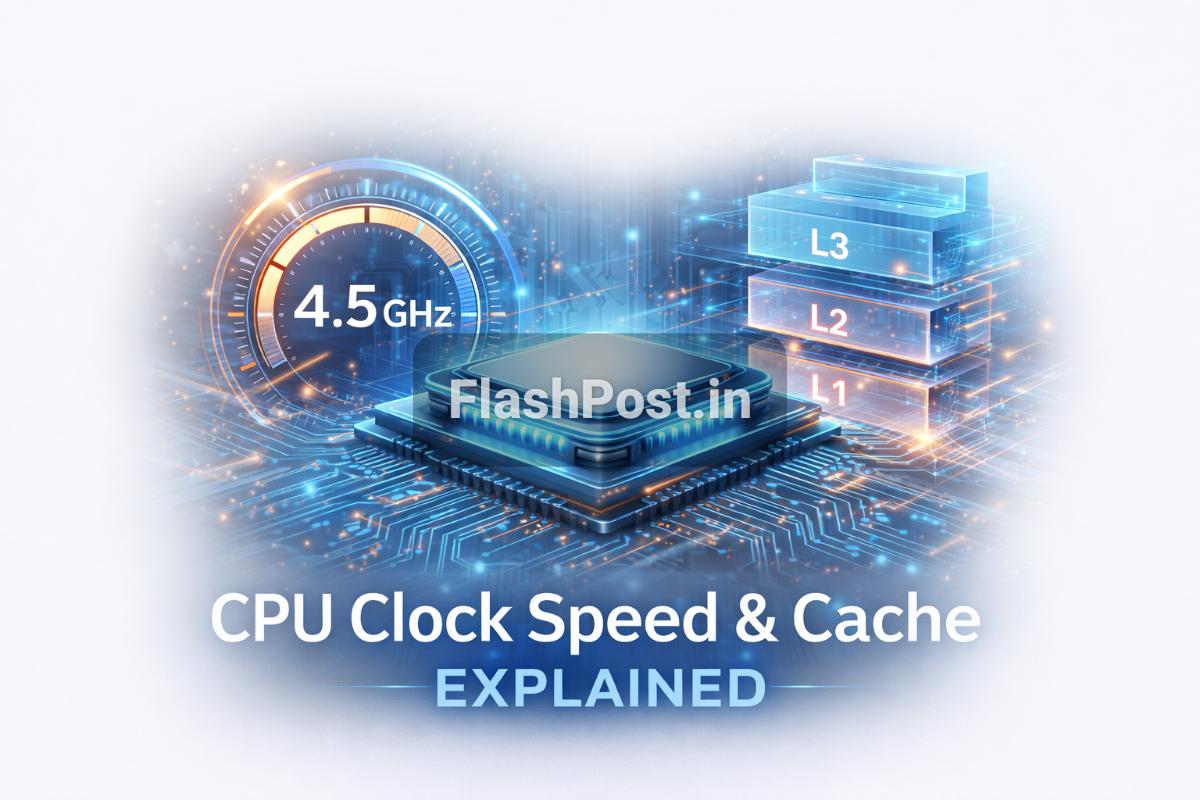
Kya Hai Yeh CPU Ka GHz Aur Cache Ka Chakkar?
Bhai, jab bhi hum naya laptop ya PC kharidte hain, toh specifications mein ek cheez zaroor dekhte hain - CPU! Aur uske aage likha hota hai 2.4 GHz, 3.8 GHz ya phir Intel Core i5 with 12MB L3 Cache. Aksar hum soch mein pad jaate hain ki aakhir yeh numbers aur letters kya hain aur inka hamare computer ki performance se kya lena-dena hai? Dosto, aaj hum FlashPost par aapke is confusion ko bilkul clear kar denge. Hum jaanenge ki CPU ki clock speed (GHz) aur uska cache (L1, L2, L3) kaise kaam karte hain aur aapke daily computing experience ko kaise affect karte hain.
📑 Table of Contents
- Kya Hai Yeh CPU Ka GHz Aur Cache Ka Chakkar?
- History Aur Background: Kaise Evolve Hua Yeh Technology?
- How It Works: Core Concepts Of GHz And Cache
- Types / Variations: GHz Aur Cache Ka Impact
- Advantages Aur Disadvantages: Sahi Balance Kaise Banayein?
- Real Life Example / Use Case: Performance Ka Asli Matlab
- Quick Summary
- Conclusion: Performance Ka Sahi Formula
- FAQs (Frequently Asked Questions)
- Sources
Asliyat mein, yeh dono CPU ke woh fundamental elements hain jo aapke computer ko fast aur efficient banate hain. Ek tarah se, GHz CPU ki heartbeat hai aur cache uski chhoti lekin super-fast short-term memory. Bina inke samajh ke, aap apne liye best system choose karne mein galti kar sakte hain. Toh chaliye, dive karte hain is fascinating tech world mein!
History Aur Background: Kaise Evolve Hua Yeh Technology?
Computer processors ki kahani shuru hoti hai bahut basic designs se. Pehle ke CPUs bohot slow the aur unki processing power aaj ke smartphones ke comparison mein bhi negligible thi. Initial processors ki speed ko Hertz (Hz) mein measure kiya jaata tha, phir Kilohertz (kHz), Megahertz (MHz), aur ab Gigahertz (GHz) tak hum pahunch chuke hain. Pehle processors single-core hote the, matlab ek time par ek hi task ko process kar sakte the. Jaise-jaise technology aage badhi, multiple cores aur threads ka concept aaya jisse CPUs ek saath kayi tasks handle kar paaye.
Cache memory ki kahani bhi kuch aisi hi hai. Jab processors fast hone lage, tab unhe data RAM (Random Access Memory) se uthane mein zyada time lagne laga. RAM, jo ki already hard drive se fast hai, CPU ke comparison mein abhi bhi slow thi. Is speed gap ko fill karne ke liye, scientists aur engineers ne ek bahut hi fast, chhoti memory ka concept introduce kiya jise 'Cache' kaha gaya. Yeh cache directly CPU chip par integrated hoti hai, jisse CPU ko frequently use hone wala data instant access milta hai. Iski shuruat L1 cache se hui, phir performance badhane ke liye L2 aur baad mein L3 cache bhi develop kiye gaye. Industry experts ke hisaab se, cache ka role modern computing mein aur bhi critical ho gaya hai, especially multi-core processors ke saath.
How It Works: Core Concepts Of GHz And Cache
Chaliye, ab detail mein samjhte hain ki yeh dono cheezein kaam kaise karti hain:
CPU Clock Speed (GHz) Kya Hai Aur Kaise Kaam Karta Hai?
Bhai, CPU clock speed ya frequency, jise Gigahertz (GHz) mein naapa jaata hai, basically batati hai ki aapka processor ek second mein kitne 'cycles' complete kar sakta hai. Har cycle mein CPU ek basic operation perform karta hai. Toh, jitne zyada GHz, utne zyada cycles per second, aur utna hi fast aapka CPU theoretically kaam karega.
- Clock Cycle: Imagine karo ek tik-tok ki awaz. Har 'tik' ya 'tok' ek clock cycle hai. Ek CPU 2.4 GHz ka matlab hai ki woh 2.4 billion cycles per second perform kar sakta hai.
- Instructions Per Cycle (IPC): Sirf GHz dekhna kaafi nahi hai. Modern CPUs har cycle mein ek se zyada instructions execute kar sakte hain, jise Instructions Per Cycle (IPC) kehte hain. Isliye, ek naya 2.5 GHz ka CPU, ek purane 3.0 GHz CPU se bhi fast ho sakta hai agar uski IPC zyada ho. Intel aur AMD jaisi companies apne processors ko is tarah se design karti hain ki woh maximum efficiency dein.
- Overclocking: Kuch enthusiasts apne CPU ki default clock speed ko manual tarike se badhate hain, jise overclocking kehte hain. Isse performance boost milta hai lekin heat aur instability ka risk bhi badh jaata hai.
CPU Cache (L1, L2, L3) Kya Hai Aur Kaise Kaam Karta Hai?
Dosto, jaisa ki humne pehle baat ki, cache CPU ki super-fast memory hoti hai. Yeh RAM aur CPU ke beech ek buffer zone ki tarah kaam karti hai. Jab CPU ko data chahiye hota hai, toh woh sabse pehle cache mein dekhta hai. Agar data wahan mil gaya (jise 'cache hit' kehte hain), toh woh instantly access ho jaata hai. Agar nahi mila ('cache miss'), toh CPU ko RAM tak jaana padta hai, jo ki slow process hai. Isse CPU ko data fetch karne mein lagne wala time kam ho jaata hai, aur overall system performance improve hoti hai.
Cache alag-alag levels mein hoti hai, aur har level ki apni khaasiyat hoti hai:
- L1 Cache (Level 1): Yeh sabse chhoti aur sabse fast cache hoti hai, jo directly har CPU core ke andar integrated hoti hai. Iski size kuch kilobytes (KB) mein hoti hai (e.g., 64KB per core). Isme woh data store hota hai jo CPU ko turant chahiye hota hai. Yeh CPU ki apni private yaaddasht hai.
- L2 Cache (Level 2): L1 se thodi badi aur thodi slower hoti hai, lekin phir bhi RAM se kaafi fast. Yeh bhi typically har core ke liye dedicated hoti hai ya phir ek chhota group of cores share karta hai. Iski size kuch hundred kilobytes (KB) ya few megabytes (MB) tak ho sakti hai (e.g., 256KB-1MB per core).
- L3 Cache (Level 3): Yeh sabse badi aur sabse slow cache hoti hai in teeno mein, lekin phir bhi RAM se fast hoti hai. L3 cache aksar sabhi CPU cores dwara share ki jaati hai. Iski size kayi megabytes (MB) mein hoti hai (e.g., 8MB, 16MB, 32MB). Iska kaam hai L2 cache ko data provide karna aur overall system efficiency badhana. Yeh ek common pool ki tarah hai jahan saare cores access kar sakte hain.
Real world scenario mein dekha jaye toh, jitna zyada aur efficiently managed cache hoga, utni hi kam baar CPU ko slow RAM tak jaana padega, jisse aapko smoother experience milega.
Types / Variations: GHz Aur Cache Ka Impact
Ab dekhte hain ki in concepts ka alag-alag scenarios aur processor types par kya asar padta hai.
GHz Ke Variations:
- Base Clock Speed: Yeh woh minimum speed hoti hai jis par CPU operate karta hai. Jab CPU idle hota hai ya lightweight tasks kar raha hota hai, toh woh is speed par chalta hai.
- Boost/Turbo Clock Speed: Modern CPUs dynamic hote hain. Jab zyada performance ki zaroorat hoti hai (jaise gaming ya video editing), toh CPU apni speed ko automatically badha leta hai ek higher 'boost' frequency tak. Yeh kuch cores par ya saare cores par ho sakta hai, cooling aur power limits ko dekhte hue. Aap Wikipedia par clock rate ke baare mein aur jaan sakte hain.
- Multi-Core Processors: Aajkal single-core processors ka zamana nahi hai. Intel Core i7, AMD Ryzen 9 jaise CPUs mein kayi cores hote hain. Zyada cores ka matlab hai zyada parallel processing power. Ek high GHz multi-core CPU, ek high GHz single-core CPU se kahin zyada powerful hoga kyuki woh ek saath kayi tasks handle kar sakta hai. Iss baare mein zyada janne ke liye aap FlashPost par CPU Cores ke article ko bhi padh sakte hain.
Cache Ke Variations:
Jaisa ki humne dekha, cache ke teen main levels hote hain. Har level ka apna specific role aur importance hai:
| Feature | L1 Cache | L2 Cache | L3 Cache |
|---|---|---|---|
| Size | Smallest (Tens of KBs) | Medium (Hundreds of KBs to few MBs) | Largest (Several MBs) |
| Speed | Fastest | Faster (than L3) | Fast (than RAM) |
| Location | Per CPU Core | Per CPU Core or per Core Group | Shared by all CPU Cores |
| Purpose | Instant access to currently used data/instructions | Backup for L1, stores frequently used data | Shared pool for all cores, reduces RAM access |
| Cost | Highest per KB | Medium per KB | Lowest per KB (among caches) |
Yeh table alag-alag cache levels ki key properties ko highlight karta hai. Dekha ja sakta hai ki kaise har level speed, size aur location ke mamle mein unique hai, aur ek saath milkar yeh CPU ki efficiency ko badhate hain.
Advantages Aur Disadvantages: Sahi Balance Kaise Banayein?
Har technology ki tarah, GHz aur Cache ke bhi apne fayde aur nuksan hain:
High GHz Ke Fayde Aur Nuksan:
- Advantages: Single-threaded applications (jaise ki kuch games ya legacy software) bohot smoothly run karte hain. Agar aapko aise tasks karne hain jahan ek hi core par maximum speed chahiye, toh high GHz beneficial hai.
- Disadvantages: Zyada GHz ka matlab hai zyada power consumption aur zyada heat generation. Iske liye better cooling solutions ki zaroorat padti hai. Aur ek point ke baad, sirf GHz badhane se performance mein utna significant improvement nahi aata, especially agar software multi-core optimization ka fayda nahi uthata. Real world scenario mein, ek modern 3.5GHz multi-core CPU, ek purane 4.5GHz single-core CPU se zyada fast hoga.
Large Cache Ke Fayde Aur Nuksan:
- Advantages: System ki overall responsiveness badhti hai. Applications fast load hote hain, multitasking smooth hoti hai, aur heavy data processing mein latency kam hoti hai. Gaming, video editing, CAD jaisi demanding tasks mein large cache ka bahut fayda hota hai. Isse CPU ko RAM tak baar-baar nahi jaana padta, jisse time bachata hai.
- Disadvantages: Zyada cache ka matlab hai zyada complex manufacturing process aur zyada cost. Isliye aap dekhenge ki high-end processors mein hi bohot zyada L3 cache milti hai. Ek limit ke baad, sirf cache size badhane se bhi performance mein diminishing returns aate hain. Cache size aur efficiency ka balance maintain karna zaroori hai.
Real Life Example / Use Case: Performance Ka Asli Matlab
Chaliye ek real-life example se samjhte hain:
Imagine kijiye aap ek content creator hain, jo 4K videos edit karta hai aur saath mein graphic design bhi karta hai. Is case mein, aapko ek high-end CPU chahiye hoga.
- Video Editing (Adobe Premiere Pro): Video rendering aur encoding jaise tasks multi-threaded hote hain, matlab woh kayi CPU cores ka fayda uthate hain. Yahan par sirf high GHz se zyada, high core count aur effective cache management important hai. Jab aap timeline par scrub karte hain ya effects apply karte hain, toh CPU ko bar-bar video frames aur related data access karna padta hai. Agar L1, L2, L3 cache efficient aur large enough hai, toh yeh data quickly CPU tak pahunch jaayega, jisse aapka workflow smooth rahega aur stuttering kam hogi. Processor jitni jaldi data cache se fetch karega, utni jaldi frames process honge.
- Gaming (AAA Titles): High-end games ko bhi fast CPU chahiye hota hai. Kuch games single-threaded performance par zyada rely karte hain (high GHz ka fayda), jabki modern games multi-core CPUs ka fayda uthate hain. Gaming mein cache ka role bohot critical hai. Game ki assets (textures, models, audio) baar-baar load hoti hain. Large cache in assets ko store kar leta hai, jisse loading times kam hote hain aur frames per second (FPS) stable rehte hain. Ek high refresh rate monitor par smooth experience ke liye, ek balanced CPU (achha GHz aur sufficient cache) ka hona zaroori hai.
- Web Browsing aur Office Work: Agar aapka kaam primarily web browsing, MS Office applications, aur lightweight tasks tak seemit hai, toh aapko extremely high GHz ya massive cache ki zaroorat nahi padegi. Ek modest modern CPU (jaise Intel Core i3 ya AMD Ryzen 3) with decent clock speed aur standard cache levels aapke liye perfectly fine hoga. Haan, overall system responsiveness ke liye ek fast SSD ka hona zyada important hoga in cases mein.
Quick Summary
Toh dosto, yeh the CPU ke do sabse important aspects – clock speed aur cache memory. Yahan ek quick summary hai:
- CPU ki clock speed (GHz) batati hai ki processor kitni tezi se basic operations perform kar sakta hai. Zyada GHz ka matlab generally zyada speed, lekin IPC aur core count bhi matter karte hain.
- CPU cache (L1, L2, L3) processor ki super-fast temporary memory hai jo frequently used data ko store karti hai.
- L1 cache sabse fast aur sabse chhoti hoti hai, har core ke liye dedicated.
- L2 cache L1 se badi aur thodi slow, usually per core ya group of cores.
- L3 cache sabse badi aur sabhi cores dwara shared, RAM access ko kam karti hai.
- High GHz single-threaded tasks ke liye accha hai, jabki large cache overall system responsiveness aur multitasking ko boost karta hai.
- Ek acchi CPU performance ke liye, high GHz, sufficient cores, aur ample cache ka ek accha balance hona zaroori hai.
Conclusion: Performance Ka Sahi Formula
Toh bhai log, ab aap samajh gaye honge ki jab aap apne CPU ke specs dekhte hain, toh usmein likhe 2.4 GHz, 3.8 GHz aur L1, L2, L3 cache ka kya matlab hai. Sirf ek number ya letter dekh kar decide karna sahi nahi hota. CPU ki asli performance uski clock speed, core count, aur cache architecture ke behtareen combination par depend karti hai. Agar aap ek naya PC build kar rahe hain ya upgrade kar rahe hain, toh apni zarooraton ko samajh kar hi processor choose karein. High-end gaming ya professional work ke liye high core count, high boost clock aur ample L3 cache wala processor ideal hai. Lekin daily use ke liye, ek balanced processor hi best value provide karta hai. Yaad rakhiye, sirf numbers par mat jaiye, balki overall architecture aur real-world performance benchmarks par bhi gaur kijiye. Umeed hai FlashPost ki yeh post aapke liye kaafi helpful rahi hogi!
FAQs (Frequently Asked Questions)
Yahan kuch commonly puche jaane wale sawalon ke jawab hain:
Q1: Kya zyada GHz hamesha better hota hai?
A: Hamesha nahi. Zyada GHz sirf clock speed badhata hai, lekin CPU ki efficiency (IPC) aur core count bhi important hain. Ek naya, modern CPU kam GHz par bhi purane, high GHz wale CPU se behtar perform kar sakta hai.
Q2: L1, L2, L3 cache mein kya main difference hai?
A: Main difference unki speed, size aur location mein hai. L1 sabse fast aur chhoti hoti hai, har core par. L2 L1 se badi aur thodi slow, per core ya group of cores. L3 sabse badi aur thodi slow, sabhi cores share karte hain, lekin sabhi RAM se kaafi fast hoti hain.
Q3: Cache memory CPU performance ko kaise affect karti hai?
A: Cache memory CPU ko frequently used data ko jaldi access karne mein help karti hai. Agar data cache mein mil jaye, toh CPU ko slow RAM tak nahi jaana padta, jisse processing fast hoti hai aur overall system responsiveness badhti hai.
Q4: Kya main apne CPU ki cache badha sakta hoon?
A: Nahi, CPU cache hardware ka integral part hota hai aur ise manually upgrade ya badhaya nahi ja sakta. Yeh CPU chip ke andar hi built-in hota hai.
Q5: Gaming ke liye high GHz zyada important hai ya large cache?
A: Gaming ke liye dono ka balance important hai. Kuch games high single-core speed (GHz) ka fayda uthate hain, jabki modern AAA titles aur multitasking ke liye large cache aur multiple cores zyada beneficial hote hain. Ideal yahi hai ki dono mein accha balance ho.
Q6: Kya mere phone mein bhi L1, L2, L3 cache hoti hai?
A: Haan, bilkul! Smartphones ke processors (jaise Qualcomm Snapdragon, Apple A-series) mein bhi multi-level cache architecture hoti hai jo unki performance aur efficiency ke liye crucial hai.
Q7: Base clock aur boost clock mein kya fark hai?
A: Base clock woh minimum speed hai jis par CPU chalta hai. Boost clock woh maximum speed hai jis tak CPU automatically jaa sakta hai jab usse zyada power ki zaroorat hoti hai, cooling aur power limits ko dekhte hue.
Q8: Kya cache RAM ki jagah le sakti hai?
A: Nahi, cache RAM ki jagah nahi le sakti. Cache ek chhoti, temporary memory hai jo CPU ko data jaldi provide karti hai. RAM primary working memory hai jo bade programs aur data ko store karti hai. Dono ka apna alag-alag role hai aur woh ek doosre ke supplementary hain.
Sources
About Author: Yogesh Joshi
Yogesh is a tech expert and developer with over 5 years of experience in mobile software, networking, and app development. He writes in-depth tech guides and tutorials. Connect with him on GSMYogesh or read more at FlashPost.in.

💬 Leave a Comment
Recent Comments
Be the first to comment!