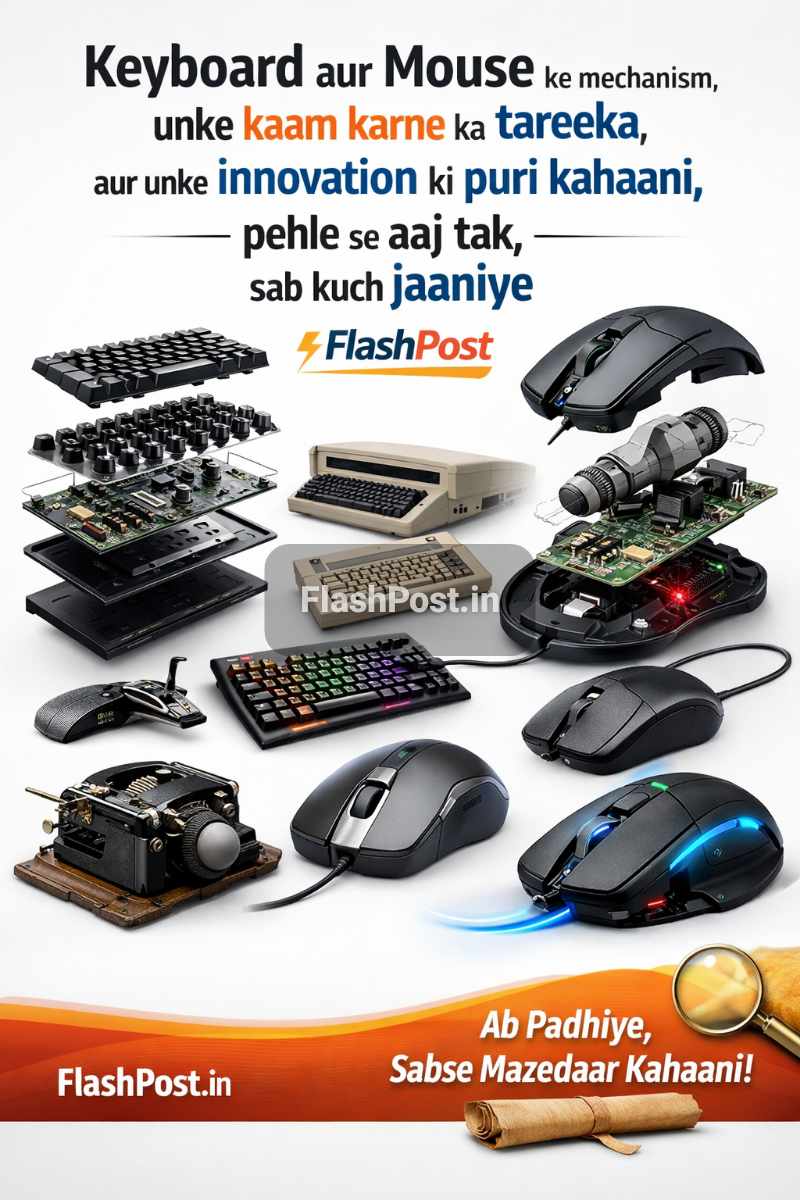
Keyboard Aur Mouse Ka Mechanism: Kaise Hua Hai Innovation?
Bhaiyo aur Dosto, aaj ki digital duniya mein computer ke bina hum apni life imagine bhi nahi kar sakte. Aur computer chalane ke liye sabse basic aur zaruri cheezein kya hain? Ji haan, Keyboard aur Mouse! Lekin kya aapne kabhi socha hai ki ye devices आखिर kaam kaise karte hain? Pehle kaise the aur aaj modern technology ne inhein kitna badal diya hai?
📑 Table of Contents
- Keyboard Aur Mouse Ka Mechanism: Kaise Hua Hai Innovation?
- History & Background: Kaise Shuruat Hui?
- How it Works: Keyboard Aur Mouse Ki Kahaani
- Types / Variations: Evolution Aur Choices
- Advantages & Disadvantages: Har Cheez Ke Do Pehlu
- Real Life Example / Use Case: Kahan Kahan Istemal Hote Hain?
- Quick Summary
- Conclusion: Aage Kya?
- FAQs
- Sources
Is article mein, hum Keyboard aur Mouse ke poore mechanism ko deeply samjhenge. Hum inki history se leke latest innovations tak, sab kuch explore karenge. Toh chaliye, is amazing tech journey par chalte hain!
History & Background: Kaise Shuruat Hui?
Jab bhi hum innovation ki baat karte hain, toh pehle dekhna zaruri hai ki shuruaat kaise hui. Keyboard aur mouse ki kahani bhi kaafi interesting hai:
Keyboard Ki Kahani: Typewriters Se Digital Tak
Keyboard ka concept directly purane typewriters se aata hai. 19th century mein develop hue typewriters mein jo physical keys thi, wahi modern keyboards ki foundation bani. Pehle ke computers, jaise ki mainframe systems, punch cards aur teleprinters use karte the input ke liye. Lekin jaise-jaise computer user-friendly bante gaye, ek standardized input device ki zarurat mehsoos hui. Wikipedia ke hisaab se, pehla electronic keyboard 1940s mein bana tha. QWERTY layout, jo aaj bhi standard hai, actually mechanical typewriters ke liye design kiya gaya tha taaki keys jam na hon, aur yahi layout computer keyboards mein bhi adopted kar liya gaya.
Mouse Ki Kahani: Ek Lakdi Ke Box Se Wireless Tak
Mouse ka invention thoda aur alag hai. 1960s mein, Douglas Engelbart ne Stanford Research Institute mein iski kalpana ki thi. Unhone ek chhota sa lakdi ka block banaya tha jiske neeche do wheels lage the, aur yahi tha duniya ka pehla computer mouse. Iska naam ‘mouse’ isliye pada kyuki uski wire ek tail ki tarah dikhti thi. Pehle graphical user interface (GUI) ko operate karne ke liye mouse ek revolutionary device saabit hua. Xerox PARC ne ise aur improve kiya, aur baad mein Apple Macintosh ne ise common public tak pahunchaya. Aaj humare paas wireless aur ergonomic mice hain, lekin shuruaat ek simple wooden box se hui thi.
How it Works: Keyboard Aur Mouse Ki Kahaani
Chalo ab hum in devices ke andar jhaakte hain aur dekhte hain ki ye asli mein kaam kaise karte hain.
Keyboard Kaise Kaam Karta Hai?
Ek keyboard basically ek matrix of switches hota hai. Har key ke neeche ek switch hota hai. Jab aap key press karte hain, toh wo switch activate hota hai aur computer ko ek specific signal bhejta hai.
- Membrane Keyboards: Ye sabse common aur affordable type ke keyboards hote hain. Inme do conductive membrane layers hoti hain jinke beech mein ek non-conductive spacer layer hoti hai. Jab aap key press karte ho, toh rubber dome neeche jaake upar aur neeche wali membrane layers ko touch karta hai, jisse circuit complete hota hai aur signal generate hota hai. Ye generally quiet hote hain lekin tactile feedback utna accha nahi hota.
- Mechanical Keyboards: Ye high-performance keyboards hote hain. Har key ke neeche ek individual mechanical switch hota hai (jaise Cherry MX, Gateron, Kailh). Har switch mein ek spring aur ek stem hota hai. Jab aap key press karte ho, stem neeche jaata hai aur circuit ko complete karta hai. Ye keyboards alag-alag tactile feedback aur sound profile ke saath aate hain (clicky, tactile, linear). Gaming aur professional typing ke liye ye kaafi popular hain. Industry experts ke hisaab se, mechanical keyboards ki durability aur responsiveness membrane keyboards se kaafi behtar hoti hai. Aap aur detail mein jaanne ke liye FlashPost ke best gaming keyboards article ko bhi explore kar sakte ho.
- Optical Keyboards: Ye naye generation ke keyboards hain. Inme mechanical switches ki jagah light beams ka use hota hai. Jab aap key press karte ho, toh light beam interrupt hoti hai, aur sensor is interruption ko detect karke signal bhejta hai. Ye keyboards extremely fast hote hain aur input lag bahut kam hota hai, kyuki inme koi physical contact nahi hota signals generate karne ke liye.
- Circuit Board & Controller: Har key press ka signal keyboard ke internal controller tak jaata hai. Ye controller signals ko process karta hai aur unhein USB ya wireless protocol ke through computer tak bhejta hai. Modern keyboards mein ‘N-key rollover’ aur ‘anti-ghosting’ jaise features hote hain, jo ensure karte hain ki aap kitni bhi keys ek saath press karein, har press register ho.
Mouse Kaise Kaam Karta Hai?
Mouse ka kaam hai aapke physical movement ko screen par cursor movement mein translate karna.
- Ball Mouse (Old School): Purane mice mein neeche ek rubber ball hota tha. Jab aap mouse move karte the, toh wo ball ghoomta tha. Ball ke andar do rollers hote the – ek X-axis (left-right) aur ek Y-axis (up-down) movement track karne ke liye. Ye rollers optical encoders se connected hote the jo ball ke rotation ko detect karke computer ko signal bhejte the. Dust aur dirt ki wajah se ye mice aksar atakte the.
- Optical Mouse (Modern Standard): Aajkal zyadaatar mice optical hote hain. Inme neeche ek LED (Light Emitting Diode) hoti hai jo surface par light throw karti hai. Us light ko ek chhota sa CMOS camera ya sensor capture karta hai. Ye sensor surface ki thousands of images per second leta hai. Fir ek Digital Signal Processor (DSP) in images mein changes ko analyse karta hai aur decide karta hai ki mouse kitna aur kis direction mein move hua hai. Ye data USB ya wireless receiver ke through computer tak pahunchta hai. Is technology ne accuracy aur reliability ko kaafi badha diya hai.
- Laser Mouse: Laser mouse optical mouse ki tarah hi kaam karta hai, bas LED ki jagah ye ek infrared laser ka use karta hai. Laser light zyada precise hoti hai aur zyada details detect kar sakti hai, jiski wajah se laser mice zyada smooth aur zyada surfaces par kaam kar paate hain, jaise ki glass. High-end gaming mice aur professional use ke liye ye preferred hote hain.
- Wireless Connectivity: Wireless mice RF (Radio Frequency) ya Bluetooth technology ka use karte hain. RF mice ek chhota USB dongle use karte hain jo computer mein lagta hai, jabki Bluetooth mice directly compatible devices se connect ho jaate hain. Ye power efficient hote hain aur inme rechargeable batteries ya standard disposable batteries use hoti hain. Wireless mice ke baare mein aur janne ke liye FlashPost ka wireless mouse guide padh sakte hain.
Types / Variations: Evolution Aur Choices
Innovation ke saath, market mein Keyboard aur Mouse ke kaafi types aur variations aa gaye hain, har ek apni specific needs aur preferences ke liye.
Keyboard Ke Prakaar
- Membrane Keyboards: Affordable, quiet, par tactile feedback kam. Office aur basic use ke liye acche hain.
- Mechanical Keyboards: Durable, excellent tactile feedback, customization options. Gamers aur professional typists ke liye ideal.
- Optical Keyboards: Extremely fast, highly durable (no physical contact switches). Gaming enthusiasts ke liye perfect.
- Scissor-Switch Keyboards: Laptops mein commonly paaye jaate hain. Low profile keys, short travel distance, decent feedback.
- Ergonomic Keyboards: Designed for comfort, reduce strain. Split designs ya curved layouts hote hain.
- Gaming Keyboards: Mechanical ya optical switches, RGB lighting, macro keys, software customization.
- Wireless Keyboards: Bluetooth ya RF dongle ke through connect hote hain, wire-free setup.
Mouse Ke Prakaar
- Optical Mice: Standard, versatile, most surfaces par kaam karte hain. Everyday use ke liye best.
- Laser Mice: More precise, high DPI, works on reflective surfaces like glass. Professional designers aur high-end gamers ke liye.
- Trackball Mice: Mouse ko move karne ki bajaye, ball ko move karte hain. Wrist strain kam karta hai, static use ke liye acche hain.
- Gaming Mice: High DPI settings, programmable buttons, ergonomic designs, adjustable weights.
- Ergonomic Mice: Vertical ya contoured designs hote hain jo natural wrist posture maintain karte hain.
- Wireless Mice: Freedom of movement, clutter-free desk. Bluetooth ya RF options. Microsoft ki website par aapko input devices ki latest range mil jaayegi.
- Touch Mice: Surface par gesture control provide karte hain, jaise trackpad.
Advantages & Disadvantages: Har Cheez Ke Do Pehlu
Har technology ki tarah, keyboards aur mice ke alag-alag types ke apne fayde aur nuksan hote hain:
Keyboards Ke Fayde aur Nuksan
- Membrane:
- Advantages: Saste, quiet, spill-resistant ho sakte hain.
- Disadvantages: Less tactile feedback, lower durability, slower response time.
- Mechanical:
- Advantages: Excellent tactile feedback, durable, fast response, customizable.
- Disadvantages: Mehenge, loud (depend karta hai switch par), heavy.
- Optical:
- Advantages: Extremely fast, highly durable, light actuation.
- Disadvantages: Zyada expensive, less variety in switches abhi tak.
Mice Ke Fayde aur Nuksan
- Wired Mouse:
- Advantages: No battery needed, no input lag, generally cheaper.
- Disadvantages: Wire clutter, limited range.
- Wireless Mouse:
- Advantages: Clutter-free, freedom of movement, portable.
- Disadvantages: Battery life ka issue, potential input lag (modern ones mein negligible), thode mehenge. Input lag ke baare mein Intel ke article mein aur padho.
- Optical vs. Laser:
- Optical: Good all-rounder, affordable.
- Laser: More precise, works on more surfaces, but generally more expensive.
Real Life Example / Use Case: Kahan Kahan Istemal Hote Hain?
Har type ka keyboard aur mouse apni specific situation mein best fit hota hai:
- Office Work: Ek basic membrane keyboard aur optical mouse kaafi hota hai. Agar aap bahut typing karte hain, toh ek ergonomic keyboard aur vertical mouse wrist strain kam kar sakte hain.
- Gaming: High-response mechanical ya optical keyboard with anti-ghosting aur high DPI gaming mouse (laser ya optical) with programmable buttons essential hain. Ye devices fast reflexes aur precise control dete hain.
- Graphic Design / CAD: Ek high-precision laser mouse ya trackball mouse fine movements ke liye behtar ho sakta hai. Keyboard preference individual par depend karta hai, par generally ek reliable mechanical keyboard accha choice hai.
- Programming: Typists aur programmers often mechanical keyboards prefer karte hain unke tactile feedback aur durability ke liye.
- Portable Use (Laptops): Built-in scissor-switch keyboards aur trackpads standard hain, par external compact wireless keyboard aur mouse travelling ke liye convenient hote hain.
| Feature | Membrane Keyboard | Mechanical Keyboard | Optical Keyboard |
|---|---|---|---|
| Working Mechanism | Rubber dome presses two membrane layers to complete circuit. | Individual physical switch with spring and stem. | Key press interrupts a light beam to send signal. |
| Tactile Feedback | Soft, mushy feel. | Distinct, often clicky or noticeable bump. | Smooth, extremely fast actuation, no physical bump. |
| Durability | Lower (around 5-10 million keypresses). | High (50-100 million keypresses). | Highest (100+ million keypresses, less wear). |
| Response Time | Slower due to full press required. | Fast, but depends on actuation point. | Extremely fast, near-instantaneous. |
| Cost | Low. | Medium to High. | High. |
Upar di gayi table mein, humne alag-alag keyboard types ke core working mechanism, feedback, durability, response time aur cost ko compare kiya hai. Isse aapko apne liye sahi keyboard choose karne mein aasani hogi.
Quick Summary
- Keyboard aur mouse computer ke fundamental input devices hain, jo human-computer interaction ko enable karte hain.
- Keyboards ka root typewriters mein hai, jahan QWERTY layout ka janm hua.
- Mouse ka invention Douglas Engelbart ne 1960s mein kiya tha, pehle ek lakdi ka block tha.
- Keyboards main teen prakar ke hote hain: Membrane (cost-effective), Mechanical (durable, tactile), aur Optical (ultra-fast, highly durable).
- Mice main optical aur laser technology par kaam karte hain, jo surface ki images ya light patterns ko track karte hain.
- Wireless connectivity ke liye RF dongles ya Bluetooth use hota hai.
- Har device type ke apne specific fayde aur nuksan hain jo use case par depend karte hain.
- Gaming, office work, aur graphic design jaise alag-alag scenarios ke liye alag-alag features wale keyboards aur mice available hain.
Conclusion: Aage Kya?
Dosto, Keyboard aur Mouse sirf do input devices nahi hain, balki ye computer technology ke backbone hain. Inka evolution ek lambi journey rahi hai, jo mechanical se optical aur wireless tak pahunchi hai. Har innovation ka maqsad user experience ko behtar banana, speed badhana aur ergonomics ko improve karna raha hai.
Future mein hum aur bhi advanced input methods dekh sakte hain, jaise gesture control, voice commands, aur brain-computer interfaces (BCI). Lekin, keyboard aur mouse apni fundamental jagah hamesha banaye rakhenge. Jab tak hum computers se interact karte rahenge, tab tak in devices ka importance bana rahega. Toh, agli baar jab aap type ya click karein, toh yaad rakhiyega ki in chhote se devices ke peeche kitni engineering aur innovation chupi hai! FlashPost.in par aise hi aur tech insights ke liye bane rahiye.
FAQs
Q1: Membrane aur Mechanical Keyboard mein kya antar hai?
A: Membrane keyboards saste, quiet aur rubber domes ka use karte hain. Mechanical keyboards har key ke neeche individual switches ka use karte hain, jo behtar tactile feedback, durability aur faster response provide karte hain, lekin mehenge hote hain.
Q2: Optical Mouse Laser Mouse se kaise alag hai?
A: Optical mouse surface ko illuminate karne ke liye LED ka use karta hai, jabki laser mouse infrared laser ka use karta hai. Laser mouse zyada precise hota hai aur glass jaisi reflective surfaces par bhi kaam kar sakta hai, jo optical mouse ke liye mushkil hota hai.
Q3: Keyboard mein 'anti-ghosting' kya hota hai?
A: Anti-ghosting ek feature hai jo ensure karta hai ki jab aap ek saath kai keys press karte hain, toh har key press accurately register ho. Bina anti-ghosting ke, kuch key combinations register nahi hote (jise 'ghosting' kehte hain).
Q4: Wireless keyboard aur mouse kaise connect hote hain?
A: Wireless devices do tareeke se connect hote hain: ya toh ek chhota USB dongle (RF - Radio Frequency) ke through jo computer mein plug hota hai, ya fir Bluetooth technology ke through jo compatible devices ke saath directly pair ho jaati hai.
Q5: DPI kya hota hai mouse mein aur yeh kyu important hai?
A: DPI ka matlab hai Dots Per Inch. Yeh measure karta hai ki mouse kitna sensitive hai. Higher DPI ka matlab hai ki mouse thode se physical movement par bhi screen par cursor ko zyada dur move karega. Gamers aur graphic designers ko high DPI ki zarurat hoti hai for precision aur speed.
Q6: Ergonomic keyboard aur mouse ke kya fayde hain?
A: Ergonomic devices ko aise design kiya jaata hai jisse lambe samay tak istemal karne par aapke haathon, kalaiyon aur baahon par strain kam ho. Ye wrist pain, carpal tunnel syndrome jaise issues ko prevent karne mein madad karte hain.
Q7: Optical keyboard mechanical se behtar kyu hai?
A: Optical keyboards mein light beams ka use hota hai instead of physical contacts for actuation. Isse ye extremely fast hote hain, zero debounce delay hota hai, aur physical wear-and-tear na hone ki wajah se inki durability mechanical switches se bhi zyada hoti hai.
Q8: Kya wired devices wireless devices se faster hote hain?
A: Traditionally, wired devices ko low input lag ke liye prefer kiya jaata tha. Modern wireless technologies, especially high-end gaming peripherals mein, itne advanced ho gaye hain ki unka input lag wired devices ke barabar ya negligible hota hai, real-world scenario mein isme koi khas farak nahi dikhta.
Q9: Keyboard mein key rollover kya hai?
A: Key rollover ka matlab hai ki ek keyboard ek saath kitni keys ko detect aur register kar sakta hai. 'N-key rollover' (NKRO) ka matlab hai ki aap jitni chahe keys ek saath press kar sakte hain, aur har ek key press register hoga, jo gamers ke liye bahut important hai.
Q10: Future mein input devices kaise honge?
A: Future input devices mein gesture recognition, advanced voice control, eye-tracking, aur brain-computer interfaces (BCIs) jaise innovations dekhne ko mil sakte hain. Haptic feedback aur augmented reality (AR) integrations bhi common ho sakte hain.
Sources
About Author: Yogesh Joshi
Yogesh is a tech expert and developer with over 5 years of experience in mobile software, networking, and app development. He writes in-depth tech guides and tutorials. Connect with him on GSMYogesh or read more at FlashPost.in.
💬 Leave a Comment
Recent Comments
Be the first to comment!