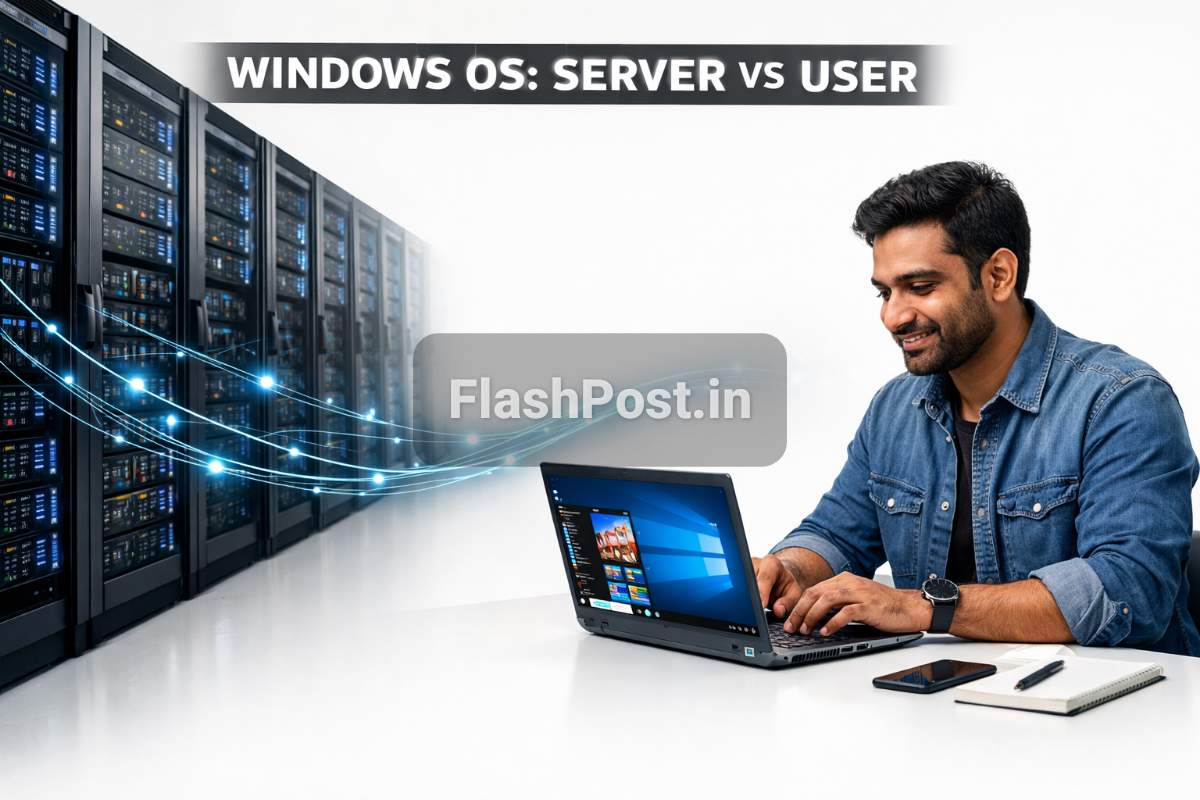
Kya haal chaal, dosto! Aaj hum baat karenge ek aise topic par jo har computer user ke liye zaroori hai – Windows Operating System ke baare mein. Lekin sirf apne PC wale Windows ki nahi, balki hum Windows Server OS ko bhi samjhenge. Kya differences hain inmein? Kaunsa kahan use hota hai? Chalo, aaj FlashPost par yeh sab detail mein jaante hain, ekdum simple Hinglish mein!
📑 Table of Contents
- Windows Operating System Kya Hai?
- History aur Background: Kaise Shuru Hua Yeh Windows Ka Safar?
- Kaise Kaam Karta Hai? Core Concepts Kya Hain?
- Types aur Variations: Kaunsa Kahan Fit Hota Hai?
- Advantages aur Disadvantages: Sab Kuch Achha Ya Kuch Mushkilen Bhi?
- Real Life Example: Kahan Use Hote Hain Yeh?
- Quick Summary
- Conclusion
- FAQs
- Sources
Windows Operating System Kya Hai?
Bhai, sabse pehle yeh samajhna zaroori hai ki Operating System (OS) hota kya hai. Socho, aapka computer ek body hai, toh OS uski soul ya brain hai. Yeh hardware (CPU, RAM, Hard Drive) aur software (apps, games) ke beech communication karata hai. Jab aap koi app open karte ho, toh OS usko RAM deta hai, CPU ko batata hai kya karna hai. Toh, Windows ek aisa hi popular OS hai jo Microsoft ne banaya hai.
Ab Windows ke do main flavors hain:
- User Operating System: Jaise Windows 10, Windows 11. Yeh wahi OS hai jo aap apne laptop ya desktop par use karte ho.
- Server Operating System: Jaise Windows Server 2019, Windows Server 2022. Yeh bade-bade servers aur data centers mein use hota hai, jahan bahut saare users aur services ko handle karna hota hai.
History aur Background: Kaise Shuru Hua Yeh Windows Ka Safar?
Microsoft ka OS ka safar MS-DOS se shuru hua tha, jo command-line based tha. Phir 1985 mein pehla graphical user interface (GUI) wala Windows 1.0 aaya. Dhheere dhheere yeh evolve karta gaya. Windows 95, 98, XP, Windows 7, 8, 10 aur ab Windows 11 tak, har version ne kuch naya aur behtar laya.
Server OS ki kahani thodi alag hai. Windows NT (New Technology) series se iski shuruaat hui thi 1990s mein. Isse pehle servers ke liye Unix/Linux zyada chalta tha. Microsoft ne NT series se ek robust aur secure OS banaya servers ke liye. Phir NT 4.0, Windows 2000 Server, Windows Server 2003, 2008, 2012, 2016, 2019 aur latest 2022 tak, har baar performance, security aur server management features ko improve kiya gaya.
Kaise Kaam Karta Hai? Core Concepts Kya Hain?
Dekho, dono hi Windows OS hain, toh fundamental principles same hain, lekin unki priority aur features alag hain.
User Operating System (Windows 10/11):
Yeh aapke liye design kiya gaya hai. Iska main kaam hai:
- User Interface (UI): Aapko ek visual environment dena jahan aap mouse aur keyboard se interact kar sako. Icons, windows, taskbar, yeh sab UI ka hissa hain.
- Application Management: Aapke apps (browsers, games, MS Office) ko smoothly chalana.
- Hardware Management: Printers, webcams, speakers jaise devices ko connect aur manage karna.
- File Management: Files aur folders ko organize karna, save karna, delete karna.
Server Operating System (Windows Server):
Yeh network aur services ke liye banaya gaya hai. Iska focus hota hai:
- Networking Services: Users ko connect karna, file sharing, printer sharing, internet access manage karna.
- Security: Network ko cyber threats se bachana, user access control (Active Directory jaise features se).
- Resource Management: CPU, RAM aur storage ko efficiently manage karna taaki multiple users aur applications simultaneously chal sakein.
- Reliability aur Uptime: Servers ko non-stop chalana hota hai, isliye server OS bahut stable aur reliable hote hain.
- Role-Based Services: Ek server par aap web server (IIS), database server (SQL Server), mail server (Exchange) jaise roles install kar sakte ho.
Types aur Variations: Kaunsa Kahan Fit Hota Hai?
Windows OS mein bhi alag-alag versions aur editions hote hain, bhai.
User Operating System Editions:
- Windows Home: Basic users ke liye, gaming aur daily tasks ke liye best.
- Windows Pro: Small businesses aur power users ke liye, isme kuch extra features milte hain jaise Remote Desktop, BitLocker encryption, Group Policy.
- Windows Enterprise/Education: Bade organizations aur educational institutions ke liye, isme advanced security, deployment aur management features hote hain.
Windows Server Editions:
- Windows Server Essentials: Small businesses (25 users / 50 devices tak) ke liye design kiya gaya hai. Simple setup aur management.
- Windows Server Standard: Most common choice, physical ya minimally virtualized environments ke liye. Do virtual machines (VMs) ko support karta hai.
- Windows Server Datacenter: Highly virtualized data centers aur cloud environments ke liye. Unlimited VMs ko support karta hai aur advanced features jaise Storage Spaces Direct, Shielded Virtual Machines milte hain.
- Windows Server IoT: Specific IoT (Internet of Things) devices ke liye optimize kiya gaya hai, jaise industrial automation ya retail solutions.
Industry experts ke hisaab se, sahi edition choose karna aapki zaroorat aur budget par depend karta hai. Zyada jaankari ke liye, aap Microsoft Windows Server comparison page par jaa sakte ho.
Advantages aur Disadvantages: Sab Kuch Achha Ya Kuch Mushkilen Bhi?
Har cheez ke do pehlu hote hain, dosto. Windows ke bhi hain.
User Operating System (Windows 10/11) ke Fayde aur Nuksan:
Fayde:
- Ease of Use: User-friendly interface, chalana aasan hai.
- Software Compatibility: Maximum apps aur games Windows par hi available hote hain.
- Hardware Support: Bahut saare hardware devices ko support karta hai.
- Gaming: PC gaming ke liye sabse popular platform hai.
Nuksan:
- Cost: Licensed copies expensive ho sakti hain.
- Security Concerns: Sabse popular OS hone ki wajah se hackers ka main target hota hai.
- Resource Intensive: Kai baar thoda heavy ho sakta hai, khaaskar purane hardware par.
- Updates: Kabhi-kabhi updates se issues aa sakte hain ya force restart karna padta hai.
Server Operating System (Windows Server) ke Fayde aur Nuksan:
Fayde:
- Robustness aur Stability: Servers 24/7 chalte hain, isliye yeh bahut stable aur reliable hote hain.
- Integration with Microsoft Ecosystem: Active Directory, Exchange, SQL Server jaise Microsoft products ke saath seamless integration.
- Scalability: Bade networks aur bahut saare users ko handle kar sakta hai.
- Management Tools: Powerful management tools hote hain jaise Server Manager, PowerShell.
- Security Features: Advanced security features provide karta hai, especially for enterprise environments.
Nuksan:
- Cost: Licenses kafi expensive hote hain, khaaskar Datacenter editions.
- Complexity: Manage karna aur configure karna user OS se zyada complex hota hai, experienced IT professionals ki zaroorat padti hai.
- Resource Requirements: High-end hardware ki zaroorat padti hai performance ke liye.
- Vendor Lock-in: Microsoft ecosystem mein zyada deep hone par dusre platforms par switch karna mushkil ho sakta hai.
Real Life Example: Kahan Use Hote Hain Yeh?
User Operating System (Windows 11) ka Example:
Socho, Anjali ek college student hai. Usko apne projects ke liye Microsoft Office use karna hai, online classes attend karni hain Zoom par, aur kabhi-kabhi apne dosto ke saath Valorant khelna hai. Uski Windows 11 Laptop usko yeh sab smoothly karne mein help karti hai. Uska OS uske hardware ko manage karta hai, apps ko chalata hai, aur usko ek clean interface provide karta hai jisse woh apna kaam aaram se kar sake.
Server Operating System (Windows Server) ka Example:
Ab imagine karo 'TechGuru Solutions' naam ki ek company hai jismein 200 employees hain. Unke paas ek Windows Server 2022 machine hai jo unki company ka Active Directory control karti hai. Is server par saare employees ke usernames, passwords, aur network permissions stored hain. Jab koi employee login karta hai, toh server verify karta hai. Yahi server unki internal file shares ko bhi manage karta hai, jahan sabhi departments apne documents save karte hain. Saath hi, unki company ki official website aur internal applications bhi isi server ya isi network ke dusre Windows Servers par chal rahe hain. Is server ki performance aur security bahut critical hai, kyuki agar yeh down hua toh poori company ka kaam ruk jaayega.
Industry experts regularly Windows Server ke updates aur features ko discuss karte hain, jo businesses ke liye kafi important hote hain.
Quick Summary
- Windows OS Microsoft ka banaya gaya ek operating system hai.
- Iske do main types hain: User OS (personal computers ke liye) aur Server OS (bade networks aur services ke liye).
- User OS ka focus user experience, application support aur hardware compatibility par hota hai.
- Server OS ka focus network management, security, reliability aur scalability par hota hai.
- User OS versions mein Home, Pro, Enterprise editions aate hain.
- Server OS versions mein Essentials, Standard, Datacenter editions prominent hain.
- Dono ke apne fayde aur nuksan hain, jo unke intended use cases par depend karte hain.
- User OS daily tasks aur entertainment ke liye best hai, jabki Server OS businesses aur data centers ke liye essential hai.
Conclusion
Toh dosto, ab aapko Windows Server OS aur apne users operating system ke beech ka difference aur unke roles acche se samajh aa gaye honge. Dono hi Windows family ke members hain, lekin unke kaam, features aur performance expectations bilkul alag hain. Ek humari daily computing needs ko pura karta hai, toh doosra bade-bade organizations aur internet ki backbone banata hai. Umeed hai, yeh detailed jaankari aapke liye helpful rahi hogi! Tech ki duniya mein aisi hi interesting baatein jaanne ke liye FlashPost ko follow karte raho!
FAQs
1. Windows Server aur normal Windows mein kya farak hai?
Normal Windows (User OS) personal use ke liye design kiya gaya hai, jismein graphical interface aur applications par focus hota hai. Windows Server (Server OS) networks, services aur multiple user connections ko manage karne ke liye banaya gaya hai, jismein stability, security aur scalability par zyada focus hota hai.
2. Kya main Windows Server ko apne normal PC par install kar sakta hoon?
Haan, technically aap install kar sakte ho, lekin yeh recommended nahi hai. Windows Server ko high-end hardware ki zaroorat hoti hai aur iska interface aur features personal use ke liye optimize nahi hote. Aapko drivers aur software compatibility issues bhi aa sakte hain.
3. Active Directory kya hota hai aur yeh kahan use hota hai?
Active Directory ek directory service hai jo Windows Server par chalta hai. Yeh bade networks mein users, computers, printers aur dusre network resources ko organize aur manage karta hai. Isse users ko login credentials verify hote hain aur network resources par permissions control kiye jaate hain.
4. Kaunsa Windows Server edition ek small business ke liye best hai?
Small businesses ke liye, Windows Server Essentials ya Windows Server Standard edition best ho sakta hai. Essentials 25 users tak ke liye simple management offer karta hai, jabki Standard zyada flexibility aur do virtual machines support karta hai.
5. Kya Windows Server me GUI hota hai?
Haan, Windows Server mein GUI (Graphical User Interface) hota hai, jise Server Core installation ke through hata bhi sakte hain taaki resources save hon aur security badhe. Server Core mein mostly command line se kaam hota hai.
6. Windows ke latest user OS versions kaunse hain?
Microsoft ke latest user OS versions Windows 10 aur Windows 11 hain. Windows 11 latest hai aur modern interface aur features ke saath aata hai.
7. Cloud computing mein Windows Server ka kya role hai?
Cloud computing mein, Windows Server virtual machines ke roop mein provide kiya jata hai Azure jaise platforms par. Companies apne applications aur services ko in virtual servers par run karti hain, jisse unhe physical hardware manage karne ki zaroorat nahi padti.
8. Kya Windows Server Linux servers se behtar hai?
Yeh use case par depend karta hai. Windows Server Microsoft-centric environments aur applications (jaise .NET, SQL Server, Exchange) ke liye ideal hai. Linux servers open-source, cost-effective aur kafi flexible hote hain. Dono ke apne strengths hain.
9. Windows Server ki security ko kaise maintain rakha jaata hai?
Windows Server ki security maintain karne ke liye regularly updates install karna, strong passwords aur multi-factor authentication use karna, firewall settings configure karna, aur Network Access Control (NAC) jaise advanced security features ka istemal karna zaroori hai. Microsoft ki official guidelines follow karna bhi helpful hai.
10. Windows Server license kitne users ko allow karta hai?
Windows Server licenses different models mein aate hain. Kuch CPU cores ke hisaab se license hote hain (Standard, Datacenter), aur kuch Client Access Licenses (CALs) ke through users ya devices ko access dete hain. Essentials edition mein user limit hoti hai (e.g., 25 users).
Sources
- Microsoft: Compare Windows Server Editions
- Microsoft Learn: Windows Server Security Best Practices
- ZDNet: What is Windows Server and how does it work?
About Author: Yogesh Joshi
Yogesh is a tech expert and developer with over 5 years of experience in mobile software, networking, and app development. Connect with him on GSMYogesh or read more at FlashPost.in.
💬 Leave a Comment
Recent Comments
Be the first to comment!