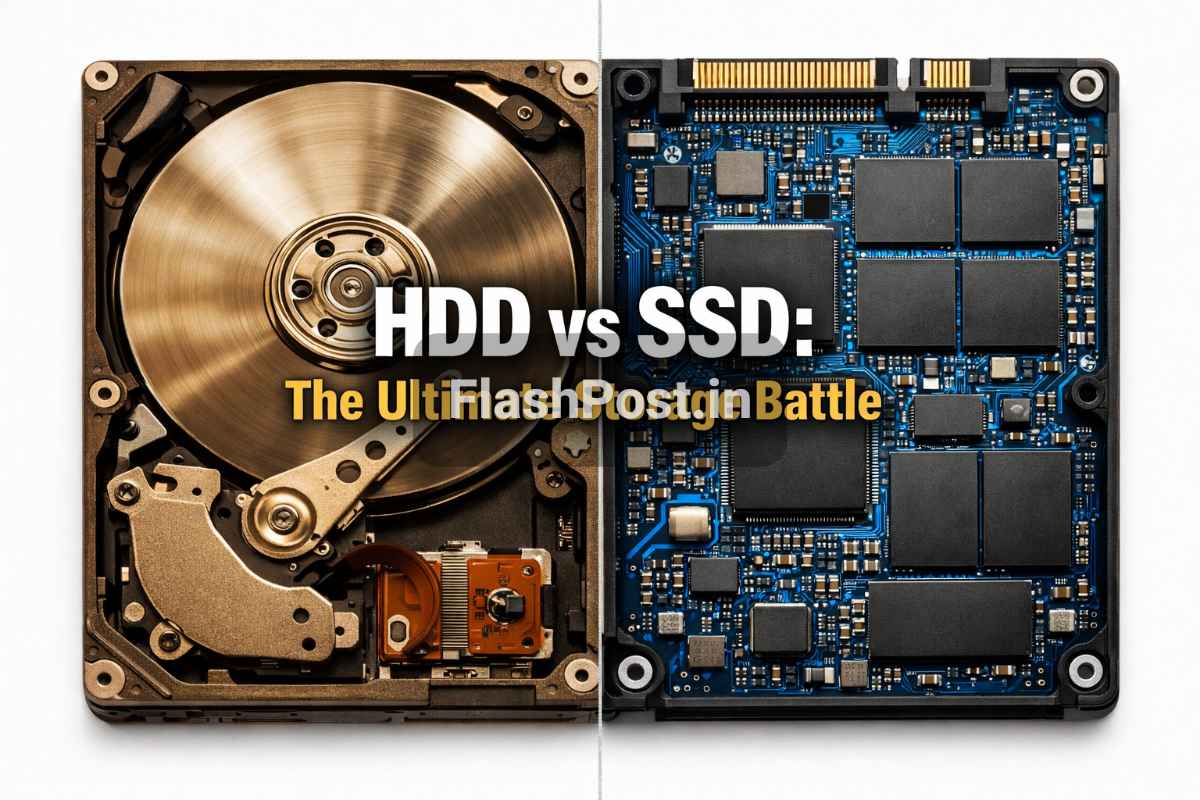
Kya haal hai mere tech-savvy dosto! Aaj hum baat karenge do aise components ki jo aapke computer ya laptop ki jaan hote hain – Hard Disk Drive (HDD) aur Solid State Drive (SSD). Aksar log confuse rehte hain ki in dono mein kya fark hai aur unke liye kaunsa behtar hai. Chinta mat karo, FlashPost par hum aapko poori detail mein samjhayenge ki Hard Disk aur SSD kya hain, kaise kaam karte hain, aur aapke liye kya best rahega.
📑 Table of Contents
Aaj kal har koi chahta hai ki uska computer fast ho, games smoothly chalain, aur files fatfat copy ho jayen. Lekin kya aapko pata hai ki is speed ka bohot bada hissa aapki storage device par depend karta hai? Chaliye, bina kisi deri ke, is mahatvपूर्ण discussion ko shuru karte hain!
Hard Disk vs SSD Kya Hai?
Dosto, simple shabdo mein, Hard Disk aur SSD dono aapke computer ka data storage box hain. Yahan aap apni photos, videos, documents, games, aur operating system store karte ho. Par inke kaam karne ke tareeke aur performance mein zameen-aasman ka fark hai.
Hard Disk Drive (HDD): Ye ek traditional storage device hai jo mechanical parts ka use karta hai. Isme ek spinning platter (ghoomne waali disk) hoti hai aur ek read/write head hota hai jo data ko read aur write karta hai. Socho jaise ek old-school record player hota tha, kuch-kuch waisa hi system hai.
Solid State Drive (SSD): Ye ek modern storage device hai jo flash memory (NAND-based) ka use karta hai. Isme koi moving part nahi hota, bilkul ek bade USB drive ki tarah. Isliye ye kaafi fast, durable aur efficient hota hai.
History & Background: Kaun Pahle Aaya?
Chalo thoda flashback mein chalte hain aur dekhte hain ki inka janm kaise hua:
Hard Disk Drive (HDD) ki Kahani: Hard Disk Drives ki history bohot purani hai, dosto. Inka invention IBM ne kiya tha, aur pehli commercial HDD, jiska naam IBM 350 RAMAC (Random Access Method of Accounting and Control) tha, 1956 mein market mein aayi thi. Imagine karo, woh pehli HDD ek bade fridge jitni thi aur uski storage capacity sirf 3.75 MB thi! Uss zamane mein yeh ek revolutionary technology thi, jiske through digital data ko store karna possible hua. Dheere-dheere, technology improve hoti gayi, HDDs chhote hote gaye, aur unki capacity badhti gayi. Aaj bhi HDDs affordable large storage ke liye ek popular choice hain.
Solid State Drive (SSD) ka Janm: SSDs ki kahani thodi nayi hai. Flash memory technology toh 1980s mein develop ho gayi thi, lekin pehle commercial SSDs 1990s mein aane shuru hue. Shuruat mein ye kaafi expensive the aur sirf high-end servers ya specialized applications mein use hote the. Consumers ke liye affordable SSDs 2000s ke mid aur late mein popular hone lage. Intel, Samsung, Sandisk jaise bade brands ne is technology ko aage badhaya. SSDs ka main aim tha mechanical HDDs ki limitations (speed, durability, noise) ko overcome karna. Aur jaisa hum aaj dekhte hain, unhone isme kaafi safalta hasil ki hai. Kingston jaise industry giants ne bhi SSD technology ke evolution mein important role nibhaya hai.
How it Works / Core Concepts
Ab chalo detail mein dekhte hain ki ye dono devices asli mein kaam kaise karte hain:
Hard Disk Drive (HDD) Kaise Kaam Karta Hai?
Ek HDD ke andar kuch main components hote hain:
- Platters: Ye gol-gol metallic disks hoti hain jo magnetic material se coated hoti hain. Aapka sara data inhi platters par store hota hai. Ye platters bohot high speed par ghoomte hain (typically 5400 RPM ya 7200 RPM, kuch high-end drives 10,000 RPM tak bhi jaate hain).
- Read/Write Head: Ye ek chhota sa arm hota hai jiske end par ek tiny magnetic head laga hota hai. Jab platters ghoomti hain, toh ye head unki surface ke upar se float karta hai aur data ko read ya write karta hai.
- Actuator Arm: Ye arm read/write head ko platters ke alag-alag areas par move karta hai.
Jab aap koi file access karte ho, toh platters ghoomna shuru karti hain. Actuator arm, read/write head ko uss particular location par le jaata hai jahan data store hai, aur phir head us data ko read karta hai. Data ko write karne ka process bhi similar hi hota hai. Is poore process mein mechanical movement shamil hoti hai, isliye isme time lagta hai aur iski speed limited hoti hai.
Solid State Drive (SSD) Kaise Kaam Karta Hai?
SSDs totally different tareeke se kaam karte hain:
- NAND Flash Memory Chips: Ye SSD ka core hai. Data inhi microchips mein store hota hai. Ye flash memory non-volatile hoti hai, matlab power off hone par bhi data safe rehta hai.
- Controller: Ye SSD ka brain hai. Ye decide karta hai ki data kahan store hoga, kaise access hoga, aur drive ki performance ko manage karta hai. Ye ek bohot complex processor hota hai jo wear leveling (taaki cells evenly use hon aur lifespan badhe), error correction, aur garbage collection jaise tasks ko handle karta hai.
SSDs mein koi moving parts nahi hote. Jab aap data access karte ho, toh controller directly flash memory chips se data retrieve karta hai. Ye electronic signals ke through hota hai, isliye ye process HDDs ke comparison mein hazaron guna faster hota hai. Isme mechanical delays nahi hote, isliye boot times, application loading, aur file transfers mein significantly kam time lagta hai.
Types / Variations of Hard Disk & SSD
Dosto, inki bhi apni-apni duniya hai. Chalo dekhte hain kaun-kaun se prakar ke HDDs aur SSDs available hain:
Hard Disk Drive (HDD) Types:
- SATA HDD (Serial ATA): Ye sabse common type hai jo desktops, laptops aur servers mein use hota hai. Ye generally do sizes mein aata hai:
- 3.5-inch: Desktops aur servers ke liye, high capacity offer karta hai.
- 2.5-inch: Laptops ke liye designed, thoda compact hota hai.
- SAS HDD (Serial Attached SCSI): Ye high-performance enterprise-level servers ke liye designed hota hai. Ye SATA se zyada reliable aur fast hota hai, lekin consumer devices mein nahi milta.
Solid State Drive (SSD) Types:
- SATA SSD (2.5-inch): Ye HDDs ki tarah 2.5-inch form factor mein aate hain aur standard SATA interface ka use karte hain. Ye HDDs se kaafi faster hote hain, lekin inki speed SATA interface ki limitations ki wajah se bandhi hoti hai (max theoretical speed 600 MB/s).
- mSATA SSD: Ye ek chhote form factor wale SSDs hain jo mini PCI Express slot mein fit hote hain. Ye purane ultra-thin laptops aur embedded systems mein use hote the, ab M.2 ne inki jagah le li hai.
- M.2 SSD: Ye aaj kal ke modern laptops aur desktops mein sabse common SSD type hai. Ye ek chhoti, patli stick jaisa dikhta hai aur motherboard par directly fit hota hai. M.2 SSDs do tarah ke ho sakte hain:
- M.2 SATA: Ye M.2 form factor mein SATA interface use karte hain, isliye inki speed 2.5-inch SATA SSDs jaisi hi hoti hai.
- M.2 NVMe (Non-Volatile Memory Express): Ye sabse fast SSDs hain jo PCI Express (PCIe) interface ka use karte hain. NVMe protocol aur PCIe lanes ki wajah se, ye standard SATA SSDs se kai guna zyada speed offer karte hain (5000 MB/s ya usse bhi zyada tak). Ye gamers, video editors, aur high-performance users ke liye best hain. Samsung jaise brands ke NVMe SSDs market mein bohot popular hain.
- U.2 SSD: Ye enterprise-level servers mein use hote hain jahan high capacity aur high performance NVMe storage chahiye hoti hai.
Advantages & Disadvantages (Hard Disk vs SSD)
Chalo ab point-by-point comparison karte hain ki kiska pallu bhari hai:
Hard Disk Drive (HDD)
Advantages (Fayde):
- Cost-Effective: Per GB cost ke hisaab se HDDs significantly cheaper hote hain. Agar aapko bohot saara data store karna hai aur budget tight hai, toh HDD ek achha option hai.
- High Capacity: HDDs multi-terabyte (TB) capacities mein aasani se mil jaate hain (e.g., 8TB, 10TB, 16TB). Large video archives, game libraries ya backup solutions ke liye ideal.
- Data Recovery: Physical damage hone par, HDDs se data recover karna SSDs ke مقابلے mein thoda aasan ho sakta hai, kyunki data physical platters par hota hai.
Disadvantages (Nuksan):
- Slow Speed: Moving parts ki wajah se, HDDs ki read/write speeds bohot slow hoti hain (typically 50-150 MB/s). Isse boot times, application loading, aur file transfers mein bohot time lagta hai.
- Less Durable: Mechanical components hone ki wajah se, HDDs shocks aur drops ke liye vulnerable hote hain. Thoda sa jhatka bhi data loss ya drive failure ka karan ban sakta hai.
- Noisy: Platters ke ghoomne aur read/write head ke move karne ki wajah se, HDDs awaz karte hain (clicking ya humming sound).
- Higher Power Consumption: Mechanical parts ko drive karne ke liye zyada power lagti hai, khaaskar laptops mein isse battery life kam ho sakti hai.
- Heat Generation: Moving parts heat bhi generate karte hain.
Solid State Drive (SSD)
Advantages (Fayde):
- Blazing Fast Speed: Ye SSDs ka sabse bada fayda hai. Read/write speeds kai guna zyada hoti hain (SATA SSDs ke liye 500-600 MB/s, NVMe SSDs ke liye 3500-7000+ MB/s). Isse aapka OS bohot tezi se boot hota hai, applications instantly load hoti hain, aur file transfers lightning fast hote hain.
- Extreme Durability: Koi moving parts nahi hone ki wajah se, SSDs shocks, drops, aur vibration ke prati bohot resistant hote hain. Ye laptops ke liye ideal hain jo aksar travel karte hain.
- Silent Operation: Bilkul silent, kyunki koi mechanical movement nahi hoti. Aapko koi awaz sunai nahi degi.
- Lower Power Consumption: Kam power use karte hain, khaaskar laptops mein isse battery life improve hoti hai.
- Less Heat: Kam power consumption aur koi mechanical parts na hone ki wajah se, ye kam heat generate karte hain.
- Compact Form Factor: M.2 NVMe SSDs bohot chhote aur patle hote hain, jo modern thin laptops ke liye perfect hain.
Disadvantages (Nuksan):
- Higher Price: Per GB cost ke hisaab se SSDs HDDs se significantly expensive hote hain. High capacity SSDs abhi bhi kaafi costly hote hain.
- Limited Lifespan (Write Cycles): Har flash memory cell ki ek limited number of write/erase cycles hoti hai. Matlab, ek point ke baad SSD ki performance degrade hone lagti hai ya woh fail ho sakta hai. Lekin modern SSDs mein wear leveling technology hoti hai jo is lifespan ko kaafi badha deti hai, toh average user ke liye ye koi bada concern nahi hai (typically 5-10+ saal tak chal jaate hain). TechRadar jaise sites par aap is lifespan ke baare mein aur detail mein padh sakte hain.
- Difficult Data Recovery: Agar SSD fail ho jaye toh data recover karna bohot mushkil aur costly ho sakta hai, kyunki isme complex algorithms aur controllers involved hote hain.
Real Life Example: Kiske Liye Kya Behtar?
Chalo kuch real-life scenarios dekhte hain jahan Hard Disk aur SSD mein se ek ko choose karna easy ho jayega:
- Casual User (Browsing, Documents, Movies): Agar aapka use sirf internet browsing, MS Office, aur movies dekhne tak limited hai, toh ek moderate capacity (256GB/512GB) SSD operating system aur frequently used apps ke liye aur ek large HDD (1TB/2TB) data storage ke liye ek best combination ho sakta hai. Isse aapko speed bhi milegi aur storage bhi affordable price mein.
- Gamers: Bhai log, gaming ke liye toh SSD, khaas kar NVMe SSD, must hai! Games bohot tezi se load honge, textures quickly render honge, aur overall experience bohot smooth ho jayegi. Aap ek 500GB/1TB NVMe SSD OS aur apne favorite games ke liye rakh sakte ho, aur ek large HDD (2TB/4TB) baaki games aur media files ke liye.
- Content Creators / Professionals (Video Editing, Graphic Design): Aapke liye speed sabse important hai. 1TB ya 2TB ka high-speed NVMe SSD recommended hai OS, frequently used software, aur active projects ke liye. Render times aur file transfer speeds mein bohot bada fark padega. Old projects aur backups ke liye external HDDs use kar sakte ho.
- Budget-Conscious User: Agar aapka budget tight hai, toh ek 256GB SSD (OS aur essential software ke liye) aur ek 1TB HDD (baaki sabke liye) ek great combination hai. Isse aapko essential speed boost bhi mil jayega aur budget bhi maintain rahega.
- Server / NAS (Network Attached Storage): Jahan raw capacity aur long-term storage required hai, wahan HDDs abhi bhi king hain. Servers aur NAS systems mein HDDs bohot zyada capacity aur reliability ke liye use hote hain, khaas kar agar data access frequency bohot zyada high nahi hai.
| Feature | Hard Disk Drive (HDD) | Solid State Drive (SSD) |
|---|---|---|
| Technology | Mechanical, spinning platters | Flash memory (NAND) |
| Speed | Slow (50-150 MB/s) | Very Fast (500-7000+ MB/s) |
| Price (Per GB) | Lower | Higher |
| Capacity | Very High (up to 20TB+) | High (up to 8TB+, but expensive) |
| Durability | Low (vulnerable to shocks) | High (no moving parts) |
| Noise | Audible (humming/clicking) | Silent |
| Power Consumption | Higher | Lower |
| Lifespan | Generally long (mechanical wear) | Long (limited write cycles, but very high TBW for modern SSDs) |
| Form Factors | 2.5-inch, 3.5-inch | 2.5-inch, mSATA, M.2 (SATA/NVMe) |
Is table mein Hard Disk aur SSD ke sabhi major differences ko concisely summarise kiya gaya hai. Isse aapko ek quick overview mil jayega ki kaunsa device kis area mein behtar perform karta hai.
Quick Summary
Chalo, dosto, jaldi se ek review kar lete hain jo humne seekha:
- HDD (Hard Disk Drive): Purana, mechanical, sasta, zyada storage capacity, lekin slow aur nazuk.
- SSD (Solid State Drive): Naya, electronic (flash memory), expensive, kam physical space, super fast aur durable.
- Speed: SSDs HDDs se kai guna zyada tez hote hain, khaas kar NVMe SSDs.
- Durability: SSDs jyada durable hote hain kyunki unme koi moving parts nahi hote.
- Price: HDDs per GB ke hisaab se saste hote hain, jabki SSDs costly padte hain.
- Lifespan: Dono ki apni limitations hain, but modern tech ne dono ki reliability badha di hai. Average user ke liye dono hi kaafi saal chalte hain.
- Best Use Case: HDDs large, affordable storage ke liye, aur SSDs speed, responsiveness aur durability ke liye best hain.
Conclusion
Toh, mere FlashPost ke readers, Hard Disk vs SSD ki race mein koi clear 'winner' nahi hai jo har situation mein fit ho. Yeh totally aapki zaroorat, budget, aur use case par depend karta hai.
Agar aapko maximum speed, performance, aur durability chahiye, aur budget ki zyada problem nahi hai, toh आंखें बंद karke SSD (khaas kar NVMe) choose karo. Aapka computer ya laptop ek rocket ban jayega. Gamers, video editors, aur power users ke liye yeh best investment hai.
Lekin agar aapko bohot saara data store karna hai, jaise movies ka collection, backups, ya agar aapka budget limited hai, toh HDDs abhi bhi ek excellent aur affordable option hain. Best approach aksar ek hybrid setup hota hai: ek chhote SSD par operating system aur frequently used programs install karo, aur ek large HDD par apni baaki saari files aur media store karo. Isse aapko speed aur capacity dono ka fayda milega.
Umeed hai ki is article se aapki Hard Disk aur SSD se judi saari confusion door ho gayi hogi. Ab aap ek informed decision le sakte ho!
FAQs (Frequently Asked Questions)
Chaliye, aapke kuch common sawalon ke jawab dete hain:
1. HDD aur SSD mein sabse bada difference kya hai?
Sabse bada difference hai speed aur technology. HDD mechanical parts (spinning platters) use karta hai, jo slow hota hai, jabki SSD flash memory use karta hai, jo incredibly fast hota hai aur usme koi moving parts nahi hote.
2. Gaming ke liye Hard Disk behtar hai ya SSD?
Gaming ke liye SSD, especially NVMe SSD, significantly better hai. Games tezi se load honge, textures jaldi render honge, aur overall gaming experience bohot smooth ho jayega. HDDs se games load hone mein bohot time lagta hai.
3. Kya SSD ka lifespan Hard Disk se kam hota hai?
Technically, SSDs ki flash memory cells ki ek fixed number of write/erase cycles hoti hai. Lekin modern SSDs mein advanced wear leveling algorithms hote hain jo unki lifespan ko kaafi badha dete hain. Average user ke liye, ek SSD bhi 5-10 saal ya usse zyada easily chal jaata hai, jo ki HDD ke comparable hi hai.
4. Kya main apne purane laptop mein SSD install kar sakta hoon?
Haan, bilkul! Agar aapke laptop mein standard 2.5-inch HDD slot hai, toh aap wahan 2.5-inch SATA SSD install kar sakte ho. Isse aapke laptop ki performance mein dramatic improvement aayegi. Kuch modern laptops mein M.2 slot bhi hota hai.
5. SSD itne mehange kyun hote hain?
SSD manufacturing process, khaas kar high-density NAND flash memory chips aur complex controllers ki wajah se, abhi bhi HDDs ke comparison mein expensive hai. Lekin unki prices dheere-dheere kam ho rahi hain.
6. Kya SSD noise karta hai?
Nahi, SSDs bilkul silent hote hain. Unme koi moving parts nahi hote, isliye koi mechanical noise nahi hoti jaise HDDs mein platters ghoomne ki awaz aati hai.
7. Mera computer slow hai, kya SSD lagane se tez ho jayega?
Definitely! Agar aapka computer HDD par chal raha hai aur slow hai, toh SSD lagane se uski speed mein bohot bada boost aayega. Operating system ka boot time, application loading, aur file transfers sab kuch kaafi fast ho jayega. Ye ek single best upgrade hai jo aap apne slow computer ke liye kar sakte ho.
8. Kya external Hard Disk Drive aur external SSD bhi hote hain?
Haan, bilkul! Dono hi external versions mein available hain. External HDDs large capacity aur affordability ke liye acche hote hain, jabki external SSDs portability, speed, aur durability ke liye best hain, khaas kar jab aapko badi files frequently transfer karni ho.
Sources
- IBM Archives - IBM 350 RAMAC
- Western Digital - SSD vs HDD: What's the Difference?
- PC Gamer - SSD vs HDD: Which storage solution is best for gaming?
About Author: Yogesh Joshi
Yogesh is a tech expert and developer with over 5 years of experience in mobile software, networking, and app development. Connect with him on GSMYogesh or read more at FlashPost.in.


💬 Leave a Comment
Recent Comments
Be the first to comment!